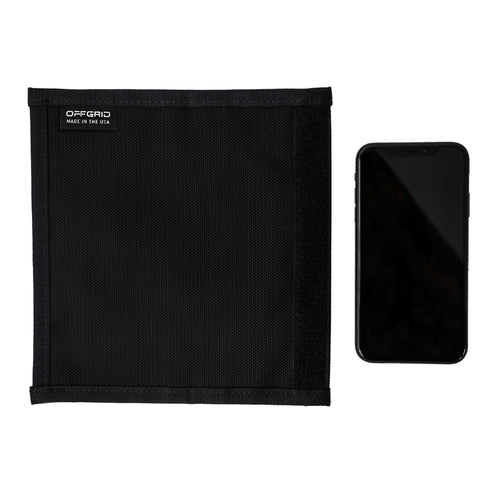

Faraday bags have become a go to tool for anyone serious about digital privacy, device security, and preparedness. Whether you are protecting a phone, laptop, car key fob, or emergency electronics, Faraday bags can block wireless signals and keep your devices isolated from the outside world.
But here is the catch. A Faraday bag only works if it is used correctly. Many people buy one, feel safer, and then unknowingly make small mistakes that completely undermine its protection.
Below are the most common Faraday bag mistakes we see, why they matter, and exactly how to fix them. If you want your gear to actually stay protected, this list is worth a read.
Mistake 1: Assuming All Faraday Bags Offer the Same Protection
Not all Faraday bags are built the same. Some are designed only for basic signal reduction, not full signal isolation. Others use thin materials, weak seams, or single layer shielding that degrades quickly over time.
A low quality bag may block WiFi but leak Bluetooth, cellular, GPS, or RFID signals. That means your device can still be tracked, pinged, or accessed even when you think it is shielded.
How to fix it
Use Faraday bags that are built with multiple layers of high quality shielding material and reinforced seams. OffGrid Faraday bags are designed to block the full range of common signals including cellular, WiFi, Bluetooth, GPS, RFID, and NFC. Multi layer construction matters more than most people realize.
Mistake 2: Not Fully Sealing the Bag
This is one of the most common and most damaging mistakes. Even a small opening in a Faraday bag can allow signals to leak through. A folded corner, misaligned closure, or partially closed flap is enough to break the shield.
Many users drop a device in quickly and assume the bag is closed without checking.
How to fix it
Always double check that the bag is fully sealed before assuming protection. Make it a habit to press along the entire closure and ensure there are no gaps. OffGrid Faraday bags are designed with secure roll down and Velcro style closures to make proper sealing easier and more reliable.
Mistake 3: Testing Once and Never Testing Again
Some people test their Faraday bag the day it arrives, confirm that signals are blocked, and never test it again. Over time, wear and tear, creases, or internal damage can reduce effectiveness.
A bag that worked six months ago may not be performing at the same level today.
How to fix it
Periodically test your Faraday bag. Place a phone inside, seal it properly, and try calling or messaging it. You should get no connection at all. If signals get through, it is time to replace the bag. OffGrid bags are built for durability, but regular testing is still smart practice.
Mistake 4: Storing the Wrong Devices Together
Some users pack multiple devices into a single Faraday bag without thinking about how those devices interact. For example, a powered on phone sitting directly against a key fob or radio can increase internal signal noise and stress the shielding.
Overstuffing a bag can also prevent it from sealing correctly.
How to fix it
Use the right size Faraday bag for the job. Avoid overloading and give devices a bit of space when possible. OffGrid offers Faraday bags in multiple sizes so phones, tablets, laptops, and vehicle key fobs can each be protected properly without cramming everything into one pouch.
Mistake 5: Leaving Devices Powered On for Long Periods
While a Faraday bag blocks external signals, a powered on device is still actively searching for networks. Over time, this can drain the battery faster and generate heat, especially in warm environments.
This does not usually cause immediate failure, but it can reduce battery health and long term device reliability.
How to fix it
Whenever possible, power down devices before placing them in a Faraday bag for extended storage. This preserves battery life and reduces internal stress. For emergency kits or go bags, store devices powered off and charge them periodically.
Mistake 6: Using Damaged or Worn Out Bags
Faraday bags are not indestructible. Repeated folding, abrasion, or exposure to moisture can degrade the internal shielding layers. Small tears or weakened seams may not be visible but can allow signals to pass through.
Continuing to rely on a compromised bag is a false sense of security.
How to fix it
Inspect your Faraday bags regularly. If you notice fraying, thinning, or loss of signal blocking during testing, replace the bag. OffGrid designs its products with reinforced edges and rugged materials to extend lifespan, but no Faraday bag lasts forever.
Mistake 7: Using a Faraday Bag for the Wrong Purpose
Faraday bags are powerful tools, but they are not a solution for every scenario. Some users expect a small pouch to protect large electronics or assume a basic sleeve can shield high power or specialized signals.
Mismatch between use case and product leads to disappointment.
How to fix it
Choose a Faraday bag that matches your specific needs. Phone protection, laptop shielding, vehicle key security, and emergency preparedness all require different sizes and designs. OffGrid builds Faraday solutions with real world use cases in mind, from everyday carry to long term storage and travel.
Getting the Most Out of Your Faraday Bag
When used correctly, a high quality Faraday bag is one of the simplest and most effective tools for protecting your digital life. Most failures come down to small habits and assumptions, not the concept itself.
By choosing well built Faraday bags, sealing them properly, testing them regularly, and matching them to the right use case, you can dramatically improve your level of protection.
OffGrid Faraday bags are designed for people who want reliable signal blocking without guesswork. If digital security, privacy, and preparedness matter to you, using your Faraday gear the right way makes all the difference.