
Storing sensitive electronic devices for months or years requires more than simply placing them in a drawer or storage box. Devices like hardware wallets, encrypted drives, backup phones, security keys, and offline storage devices often contain highly valuable information. If they are not stored correctly, batteries degrade, electronics corrode, and security risks increase.
Whether you are protecting digital assets, safeguarding authentication devices, or preserving long-term backups, knowing how to store sensitive devices properly is essential. This guide covers the best practices for long-term device storage and how secure hardware storage solutions like OffGrid can help protect critical devices for the future.
Why Long-Term Storage of Sensitive Devices Matters
Many security-critical devices are not used frequently. Hardware wallets storing cryptocurrency, backup authentication devices, and offline encrypted drives may remain untouched for months or even years. Improper storage can lead to battery failure, corrosion, damaged circuitry, or exposure to unauthorized access.
Environmental factors like temperature changes, humidity, dust, and electromagnetic interference slowly degrade electronic components. Devices that contain batteries are particularly vulnerable, as improper storage can cause deep discharge, swelling, or permanent damage.
Long-term storage requires a balance between environmental protection, physical security, and proper device preparation. When done correctly, sensitive hardware remains reliable and secure even after extended periods of inactivity.
Choose a Controlled Storage Environment
Temperature and humidity are two of the biggest threats to stored electronics. Sensitive devices should always be stored in a cool, dry environment with stable conditions.
Extreme heat accelerates battery degradation and can damage internal circuits, while freezing temperatures can stress displays and solder joints. Ideally, storage temperatures should stay between 50°F and 77°F (10°C to 25°C).
Humidity is another major concern. Excess moisture can cause corrosion and condensation inside electronics. Keeping humidity levels below roughly 60 percent helps protect delicate components. Many people store devices in sealed containers with desiccant packs or inside climate-controlled safes to reduce moisture exposure.
Locations like garages, attics, and basements often experience temperature swings and high humidity, making them poor environments for storing sensitive electronics.
Protect Devices from Physical Damage
Sensitive electronics can easily be damaged if they are stored without proper protection. Pressure, vibration, and accidental impacts can damage screens, connectors, and circuit boards.
Protective cases designed for electronics help prevent this type of damage. Hard shell cases with foam inserts keep devices stable and shield them from external force. Anti-static bags are also helpful for preventing static discharge that could harm internal components.
For devices that store critical credentials or digital assets, placing them inside a secure safe adds an extra layer of protection against theft or tampering.
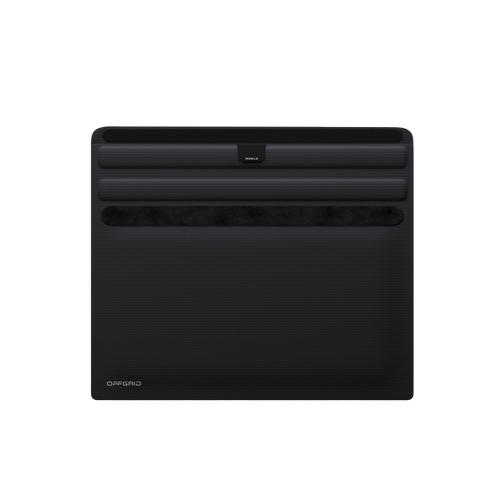
Solutions like OffGrid secure device storage are designed specifically for safeguarding sensitive electronics, combining physical protection with shielding that helps isolate devices from wireless signals and external interference.
Manage Batteries Before Storage
Battery health plays a major role in long-term device reliability. Lithium-ion batteries degrade over time and are particularly sensitive to storage conditions.
Before placing a device into long-term storage, charge the battery to roughly 40 to 60 percent. This level reduces chemical stress on the battery and helps preserve long-term capacity. Devices should then be fully powered off.
For hardware that allows removable batteries, storing the battery separately can reduce the risk of swelling or leakage during extended storage. If a device will remain unused for long periods, checking it once or twice a year and briefly recharging the battery can help maintain battery health.
Proper battery management helps ensure the device still powers on when it is eventually needed.
Keep Firmware and Security Updated
Before storing a device long-term, make sure its firmware and software are fully updated. Security updates often patch vulnerabilities that could become problematic later.
Updating firmware before storage ensures the device starts from a secure baseline. For devices storing sensitive credentials, enabling encryption, secure boot, and passcode protection is also recommended.
Taking these steps ahead of time reduces the chance of compatibility or security issues when the device is eventually brought back online.
Store Recovery Information Separately
Many sensitive devices depend on recovery phrases, backup keys, or authentication codes. These recovery materials are just as important as the devices themselves.
Recovery phrases should never be stored in the same location as the device they protect. If someone gains access to both, they can potentially recover the device and access the protected data.
Secure storage options such as safes, vaults, or durable recovery storage solutions help protect this information from fire, water damage, and theft. Separating recovery materials from the device itself reduces the risk of a single point of failure.
Reduce Wireless and Electromagnetic Exposure
Sensitive electronics that contain private keys, authentication credentials, or encrypted data should ideally remain isolated from wireless communication during storage.
Devices should be powered off and disconnected from networks before being stored. Wireless features like Bluetooth, Wi-Fi, and NFC should also be disabled.
For additional protection, many security professionals store sensitive devices inside signal-blocking enclosures that prevent radio frequency communication. Products designed for secure hardware storage, including OffGrid solutions, help isolate devices from wireless signals and reduce the risk of remote interaction.
While this level of protection may not be necessary for every device, it is particularly useful for hardware wallets, backup phones, and authentication hardware.
Periodically Check Stored Devices
Even when stored correctly, sensitive devices benefit from occasional inspection. Checking devices every six to twelve months allows you to verify battery health, confirm that storage conditions remain stable, and ensure the hardware still functions properly.
Routine checks also give you an opportunity to apply firmware updates and verify that recovery information is still accessible and properly stored.
For high-value hardware or security devices, maintaining a simple record of inspection dates and storage conditions can help ensure long-term reliability.
Secure Device Storage Is Part of a Strong Security Strategy
Long-term storage of sensitive devices requires careful planning. Environmental protection, battery management, physical security, and proper recovery storage all play a role in protecting valuable hardware.
For individuals protecting digital assets, encrypted data, or authentication devices, specialized storage solutions like OffGrid provide an added layer of protection by combining physical security with signal isolation and durable hardware protection.
When handled properly, sensitive devices can remain secure and functional for many years. Taking the time to store them correctly today helps ensure they are protected and ready whenever they are needed in the future.