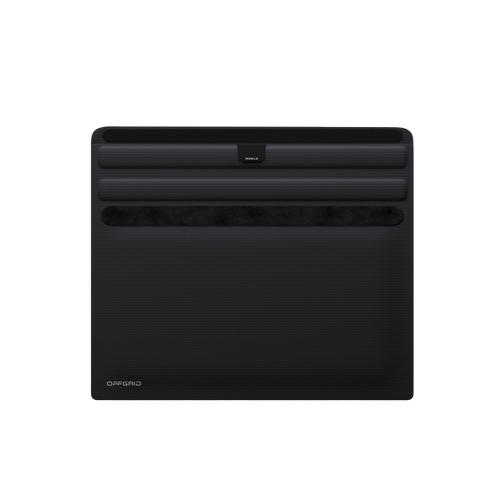

If you’ve ever used a Faraday bag, you already know its main job: block all wireless signals. But what actually happens when your phone sits inside one for hours while you sleep? Here’s a clear, practical look at the effects, plus a few tips to get the most out of using one.
What a Faraday Bag Does (Quick Refresher)
A Faraday bag is built with conductive materials that stop radio waves from entering or leaving. This includes:
-
Cellular signals
-
Wi-Fi
-
Bluetooth
-
GPS
-
NFC
-
RFID
Once your phone goes inside and the bag is sealed, it becomes unreachable and untrackable. That’s the whole point.
What Happens to Your Phone Overnight
1. Battery Drain Slows Down (But Doesn’t Hit Zero)
Inside a Faraday bag, your phone can’t receive any network updates or notifications. That means fewer background tasks pulling data and fewer pings to nearby towers.
Result: Most people see a slower battery drain overnight.
There’s one small exception. If your phone aggressively tries to reconnect to a network, it may actually drain a little faster than usual. This depends on model and carrier, but it’s rare with modern devices.
2. No Notifications or Alerts Get Through
Texts, calls, app notifications, security prompts, and updates will not reach your phone. They’ll queue up and appear only when you remove the phone from the Faraday bag and it reconnects.
If you rely on overnight alerts (work emergencies, family calls, security notifications), this is something to keep in mind.
3. Your Phone Stops Broadcasting and Tracking
With signals blocked, the phone can’t share:
-
Location
-
Device identifiers
-
Bluetooth beacons
-
Background data sent by apps
If you’re using a Faraday bag for privacy, this is exactly what you want.
4. Scheduled Updates and Backups Get Paused
System updates, cloud sync, and automatic backups require a network connection.
While in a Faraday bag, these tasks pause. They’ll run the next time the phone reconnects.
5. Alarms Still Work
Most standard alarm apps work fine because they don’t rely on a signal.
The only exceptions are alarms tied to cloud-based services or apps that require an active network.
Is It Safe to Store Your Phone in a Faraday Bag Overnight?
Yes.
It doesn’t harm the phone, battery, or internal components.
Your device simply “waits” for a connection. All modern smartphones are built to handle drops in signal, long periods in airplane mode, or no connectivity at all.
Benefits of Keeping Your Phone in a Faraday Bag Overnight
• Better Digital Privacy
Your phone can’t broadcast location or identifiers while you sleep. This prevents tracking by networks, apps, and nearby devices.
• Reduced EMF Exposure
If reducing electromagnetic fields is important to you, a Faraday bag cuts off all transmissions from the device.
• A More Restful Night
No buzzing, flashing, or late-night notifications.
For many users, this becomes the biggest benefit.
Downsides or Inconveniences
-
You won’t receive emergency calls or messages.
-
Cloud backups and scheduled updates pause.
-
If your phone tries to reconnect often, it may use a bit more battery.
-
Smart-home integrations won’t work until the phone reconnects.
Tips for Overnight Use
1. Use a High-Quality Faraday Bag
Cheap bags leak signal. Look for multi-layer shielding materials and tested attenuation performance.
2. Close the Bag Fully
A small gap can let signals in. Make sure the closure is fully sealed.
3. Turn on Airplane Mode First (Optional)
This reduces battery drain even more and helps prevent any reconnection attempts.
4. Keep It Somewhere Consistent
Pick a clean, dry spot like a nightstand drawer. Don’t place it near sharp objects that could damage the bag's shielding.
Does This Practice Make Sense for You?
Keeping your phone in a Faraday bag overnight is a simple habit with real privacy benefits. It helps you disconnect, cuts off tracking, and creates a quieter night. As long as you don’t need urgent notifications while sleeping, it’s an easy way to protect your data and enjoy some digital stillness.