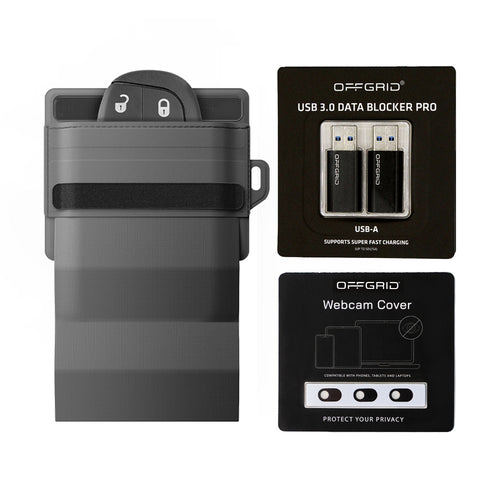

Digital privacy is no longer a niche concern. Phones, key fobs, tablets, credit cards, and even laptops constantly broadcast signals that can be tracked, intercepted, or exploited. A Faraday bag gives you a simple way to cut that connection whenever you choose. But with so many materials, sizes, and claims on the market, picking the right one can feel like guesswork.
This guide breaks things down so you can choose a Faraday bag that actually performs and fits your lifestyle.
What a Faraday Bag Actually Does
A Faraday bag is built with conductive materials that create a shield around your device. When sealed, it blocks signals like:
-
Cellular (4G, LTE, 5G)
-
Wi-Fi
-
Bluetooth
-
GPS
-
RFID / NFC
-
EMF radiation
The result: no tracking, no data extraction, no remote access, no signal-based hacking.
Why You Should Use One
People reach for Faraday bags for different reasons, but the most common include:
Privacy protection
Stops apps, advertisers, and networks from gathering location or behavior data.
Security against hacking
Prevents keyless car relay attacks, remote phone access, and wireless exploits.
Travel protection
Keeps passport chips, credit cards, and devices safe while moving through airports or high-traffic areas.
Digital detox
Gives you real, enforced offline time without powering off or enabling airplane mode.
Key Features to Look For
1. Verified Signal Blocking
Not all bags actually block the full spectrum they claim. Look for:
-
Independent lab testing
-
Real-world testing with common devices
-
Multi-layer shielding fabric
The more transparent the company is about testing, the better.
2. Durable Exterior
A good Faraday bag should survive daily use. Materials like ballistic nylon, leather, and water-resistant fabrics protect the shielding layers and extend the bag’s lifespan.
3. Strong Seal Closure
A Faraday bag only works if it closes fully. Magnetic closures, roll-tops, or hook-and-loop seals should be tight, consistent, and easy to reseal without degrading over time.
4. Correct Fit for Your Device
Bags are sized for:
-
Cell phones
-
Key fobs
-
Tablets
-
Laptops
-
Wallet-sized essentials
Oversized bags work, but a proper fit ensures the shielding layers wrap the device effectively.
5. Everyday Utility
Good design makes the bag something you actually want to carry:
-
Interior organization
-
Silent or low-profile closure
-
Discreet looks
-
Lightweight construction
A Faraday bag shouldn’t feel like a specialty tool. It should just work.
For Phone Privacy
Choose a compact Faraday pouch that fits your device with a bit of clearance. Ideal for:
-
Commuting
-
Sensitive meetings
-
Travel
-
High-risk environments
Look for quick-access designs so you can drop your phone in without fuss.
For Car Key Security
Keyless entry fobs are easy targets for relay attacks. A small, pocket-size Faraday pouch keeps your key from broadcasting when you’re home or out in public.
For Travel and EDC
If you carry multiple items - passport, credit cards, backup phones - choose a mid-sized pouch with internal organization.
For Professionals Handling Sensitive Data
Journalists, security teams, law enforcement, and executives often need laptop or tablet sleeves with full-signal isolation.
For Full Digital Lockouts
If your priority is maximum disconnect, pick a bag designed to block signals consistently even in dense urban environments.
Common Mistakes to Avoid
Buying a bag that isn’t truly lab-tested
Marketing claims mean nothing without real testing behind them.
Choosing a size that’s too tight
Compression can damage the shielding layers or prevent a complete seal.
Expecting the bag to work half-closed
A Faraday bag only functions when fully sealed. Think of it like a circuit: it must be closed.
Assuming all fabrics are equal
Cheap metallic fabric can break down quickly and lose effectiveness.
How to Test Your Faraday Bag at Home
A quick test helps verify performance:
-
Place your phone inside and seal the bag.
-
Try calling it.
-
Try using Bluetooth or Wi-Fi from another device.
-
Turn on location services and check if the phone can still lock onto GPS.
If the bag is working, there should be no signal connection at all.
When to Upgrade
Consider upgrading if:
-
Signals occasionally leak.
-
The fabric starts fraying or creasing.
-
The closure weakens.
-
Your devices no longer fit.
Technology changes fast, but your privacy should stay protected.
Final Thoughts
The right Faraday bag depends on what you need it to protect and how you plan to use it. Look for solid testing, quality materials, and a design that fits seamlessly into your routine. A good one doesn’t just block signals, it gives you peace of mind every time you pick it up.